
Skull_ radiographic positioning
skull radiographic positioning projections
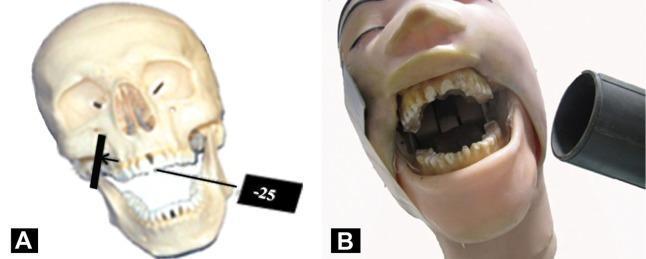
This composite educational image illustrates dental radiographic positioning and angulation using a head phantom and skull model. Image A features a human skull model demonstrating the vertical angulation for maxillary posterior imaging, showing the central X-ray beam directed at a negative 25-degree angle from the horizontal plane, originating from the zygomatic region toward the upper molars. Image B shows a clinical simulation with a dental phantom head in a wide-open mouth position, tilted approximately 10 degrees toward the side of interest. A cylindrical X-ray collimator (cone) is positioned extraorally, demonstrating the alignment required for specialized extraoral dental projections. The focus of the material is to teach dental students and clinicians the precise anatomical landmarks, such as the canthomeatal line and Frankfort plane, necessary for standardized radiographic capture of maxillary and mandibular molars.
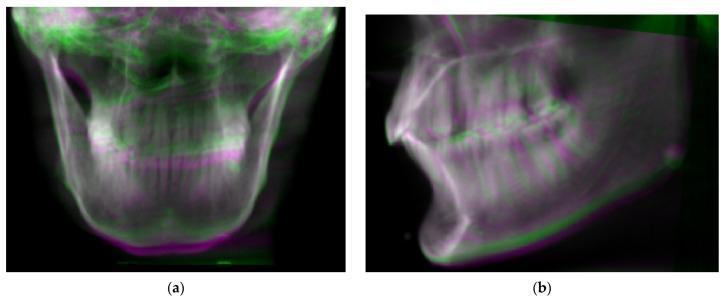
This diagnostic comparison image consists of two panels, (a) frontal and (b) lateral projections, demonstrating simulated Digitally Reconstructed Radiographs (DRRs) derived from Cone Beam Computed Tomography (CBCT) data. The images utilize a color-overlay technique to visualize orientation deviations in a phantom skull model. The green layer represents the skull in its original, baseline orientation, while the magenta layer represents the same volume rotated +/- 6 degrees in the pitch and roll axes. In the frontal view (a), misalignments are visible as color fringes along the mandibular symphysis and cranial borders. The lateral view (b) highlights more pronounced color separation across the dental arcade, nasal bones, and the posterior ramus of the mandible. This visualization is used in dental and maxillofacial radiology to assess the accuracy of image registration algorithms and to evaluate the impact of patient positioning errors on radiographic projections. Key educational concepts include rotational displacement (pitch, roll, yaw), coordinate system alignment, and the clinical significance of reproducibility in maxillofacial imaging.
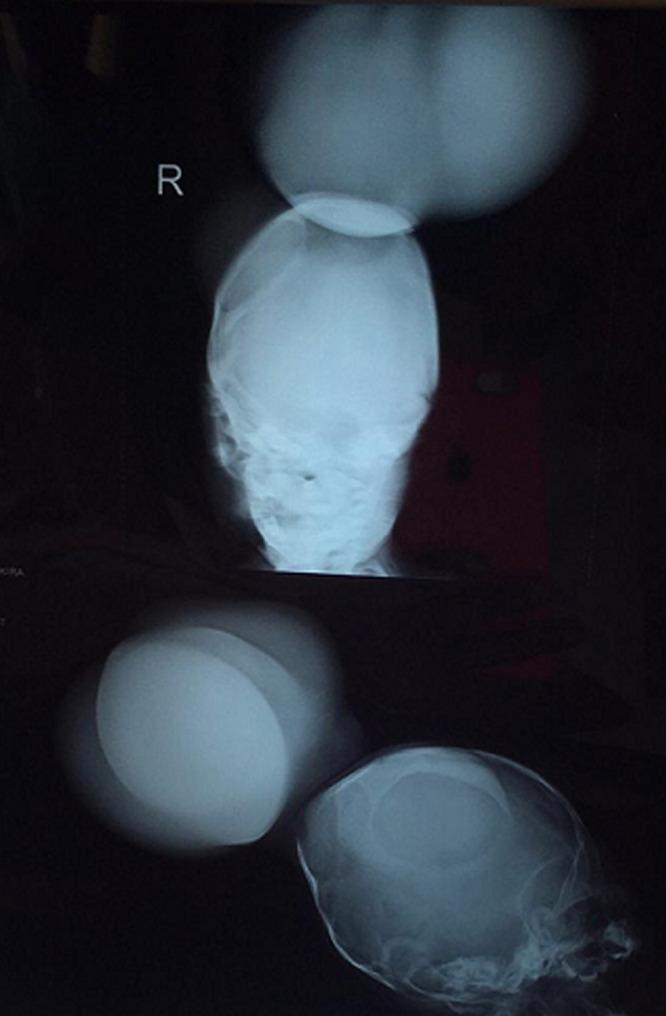
This diagnostic X-ray series displays frontal and lateral radiographic views of a pediatric skull, demonstrating a significant occipital bone defect. In both projections, there is a clear discontinuity in the posterior cranial vault through which a large, soft-tissue density mass protrudes, consistent with an occipital encephalocele. The frontal view highlights the central positioning of the defect relative to the cranial midline, while the lateral view illustrates the posterior extent of the herniated intracranial contents. The surrounding cranial bones appear thin, typical for a neonate or infant. This clinical imaging is representative of a neural tube defect where failure of the skull to fuse results in the extracranial herniation of brain tissue and meninges. Such findings are critical in the diagnosis and surgical planning for congenital craniofacial anomalies and associated conditions like amniotic band syndrome.
PA skull X-ray anteroposterior lateral projection positioning
Skull Radiographic Positioning
Positioning Lines Used for the Skull
| Abbreviation | Full Name | Description |
|---|---|---|
| IPL | Interpupillary Line | Connects both pupils; used to check for tilt/rotation |
| MSP | Midsagittal Plane | Divides the skull into equal right and left halves |
| OML | Orbitomeatal Line | Line from outer canthus of eye to center of external auditory meatus |
| IOML | Infraorbitomeatal Line | Line from inferior orbital margin to center of external auditory meatus; ~7° below OML |
Standard Skull Projections
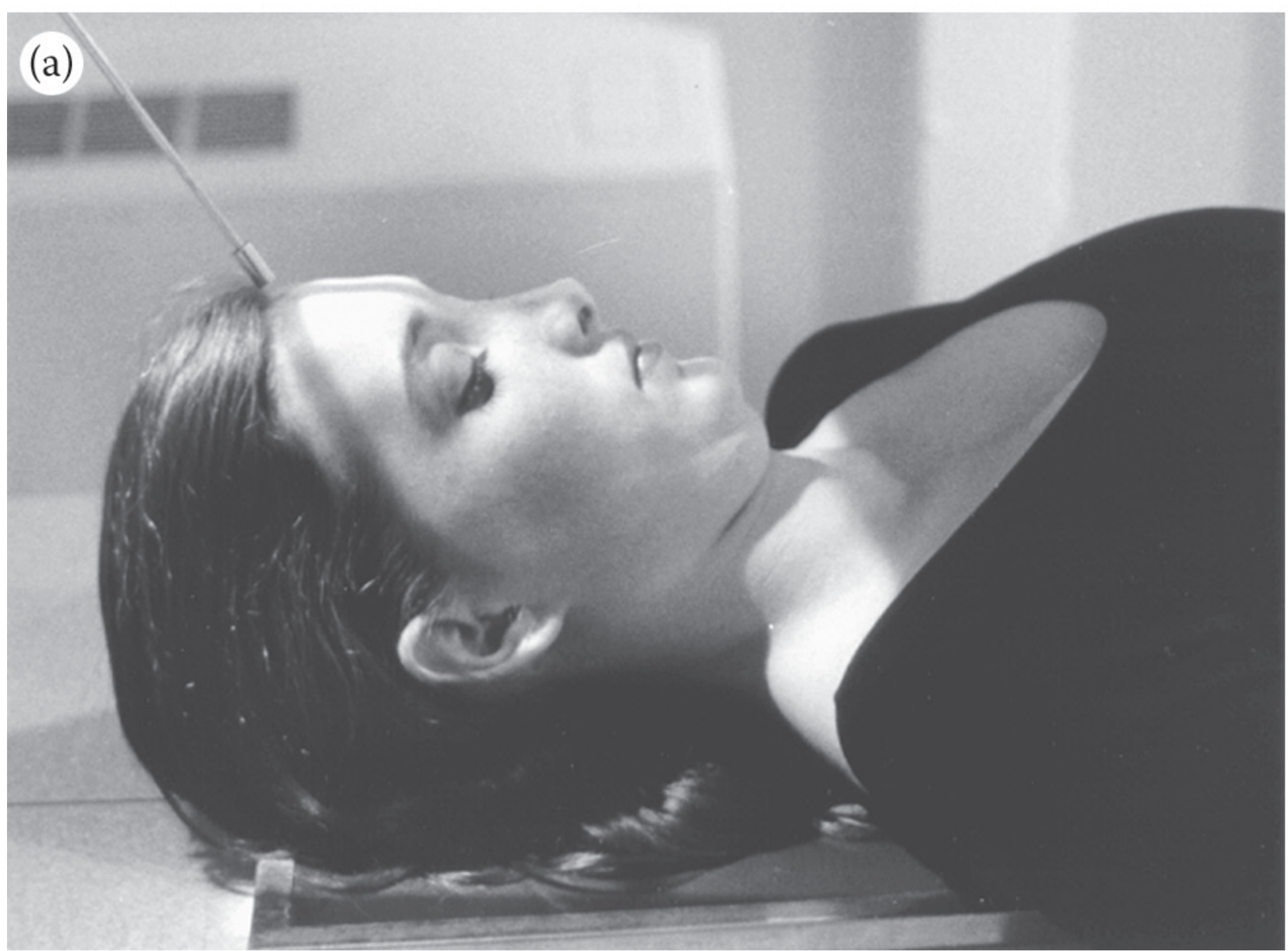
1. AP Projection of the Skull (Cranium)
- Upper border of cassette is 1 in. above the top of the skull
- MSP centered to the long axis of the cassette
- MSP must be perpendicular to the cassette to avoid rotation
- OML aligned perpendicular to the cassette (a thin radiolucent sponge under the head may help achieve this)
- Directed perpendicular to the midpoint of the cassette
- Collimate to cassette size
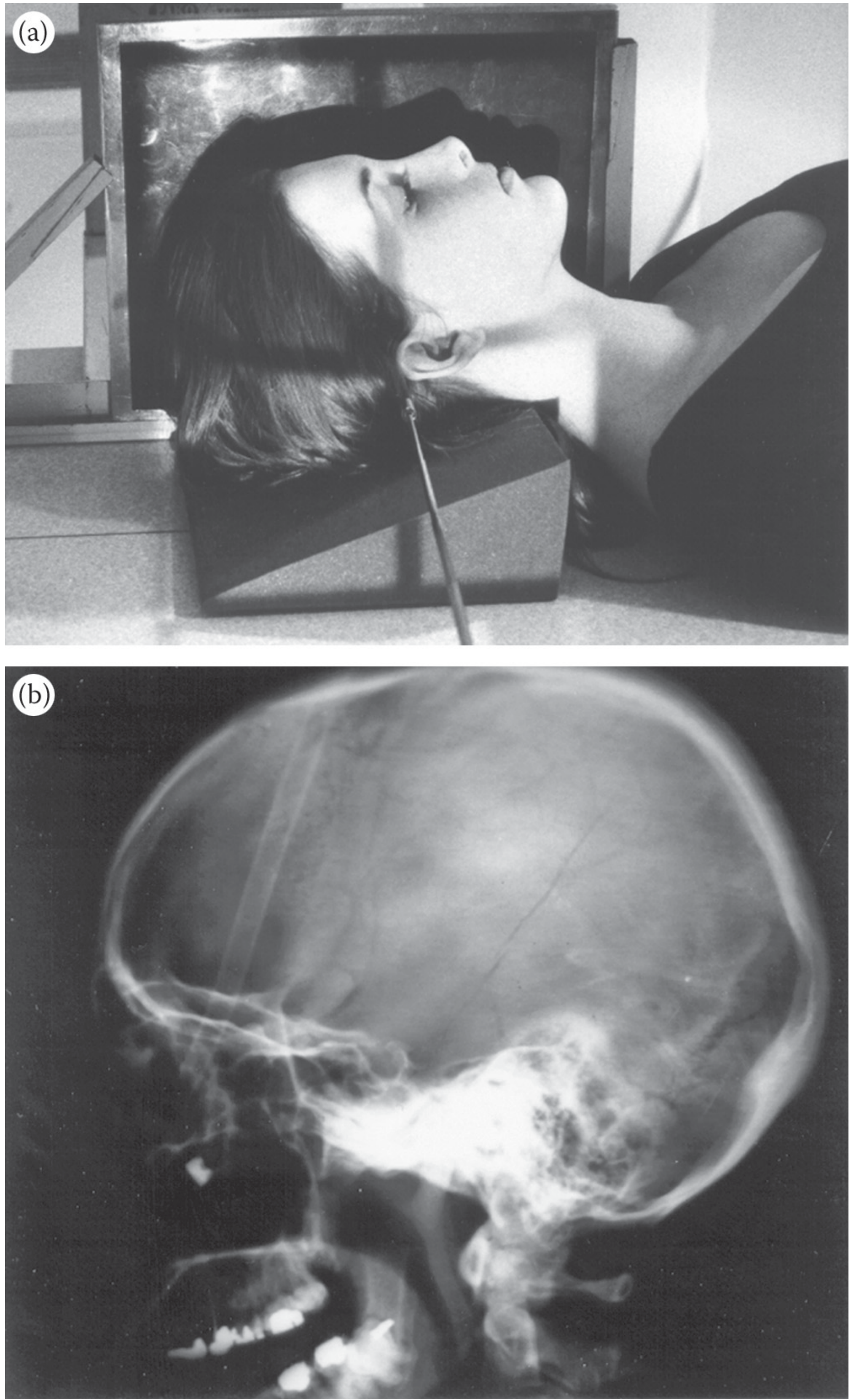
2. Cross-Table Lateral Projection of the Skull (Cranium)
- Upper border of the grid cassette is placed above the top of the skull
- The cassette is positioned parallel to the MSP
- The IPL must be perpendicular to the cassette to prevent rotation
- Directed horizontally and perpendicular to the cassette
- Centered to the middle of the skull
3. AP Axial Projection of the Skull - Towne Position
- MSP centered to the long axis of the cassette and perpendicular to it
- OML aligned perpendicular to the cassette
- Alternative: IOML may be used - if so, adjust CR angle (see below)
- With OML perpendicular: CR angled 30° caudally
- With IOML perpendicular: CR angled 37° caudally
- CR enters the skull 1/2 in. above the eyebrows
- CR exits in the area of the mastoid process
- Cassette is centered to the exit point of the CR
Key Principles of Skull Radiography
-
Two projections at right angles are required for most examinations - typically AP + lateral, or PA + lateral. This avoids superimposition and clarifies depth/position of any pathology.
-
Avoid rotation - the MSP must always be perpendicular to the cassette. Even minor rotation distorts cranial symmetry and renders the image non-diagnostic.
-
Radiolucent sponges are used to support and elevate the head to achieve correct OML alignment. They do not appear on the radiograph and do not interfere with positioning.
-
Grid cassette is used for the skull because of its thickness - the grid reduces scatter radiation and improves contrast.
Summary Table
| Projection | CR Angle | Key Alignment | Structures Seen |
|---|---|---|---|
| AP Skull | Perpendicular (0°) | OML ⊥ cassette, MSP centered | Cranial vault (frontal, parietal, occipital) |
| Cross-Table Lateral | Horizontal, perpendicular | IPL ⊥ cassette, cassette // MSP | Sella turcica, frontal sinus, cranial base |
| AP Axial (Towne) | 30° caudad (OML) or 37° caudad (IOML) | OML ⊥ cassette, MSP centered | Occipital bone, foramen magnum, petrous ridges |
Create a quick reference PDF with skull projection diagrams
mkdir -p /tmp/workspace/skull-xray-pdf && ls /tmp/workspace/
cd /tmp/workspace/skull-xray-pdf && \ curl -s -o cross_table_lateral.png "https://cdn.orris.care/cdss_images/504371ea00b5e93d39281bb40bbcd30b1fff20ef3cb77bbdc87f2d4b54c9902b.png" && \ curl -s -o towne_position.png "https://cdn.orris.care/cdss_images/f7de41d57cdc99542bde846652c42d6ec098bfd5e34f1997e4b1319b81eae5de.png" && \ curl -s -o towne_xray.png "https://cdn.orris.care/cdss_images/fd982579a1aa48a66533ef0895c67089ecb355671d1972d.png" && \ ls -lh *.png
cd /tmp/workspace/skull-xray-pdf && \ curl -s -o ap_skull.png "https://cdn.orris.care/cdss_images/b3b7fef8cc03f49f91e0a9529a8d4ac7215aa3a07e3277ef7a9af777907dec82.png" && \ curl -s -o cranial_lines_msp.png "https://cdn.orris.care/cdss_images/b0d028bd41a1891594415df6e95bedafc1dab24097d5dca337cb2c4f4af9ad76.png" && \ curl -s -o cranial_lines_oml.png "https://cdn.orris.care/cdss_images/11c907bb26b96d4895472f014cb6e46a889379547e251b51a50d46b89de14107.png" && \ ls -lh *.png
~/skull-xray-pdf/generate_pdf.py
"""
Skull Radiographic Positioning - Quick Reference PDF Generator
Uses ReportLab for layout and PIL to verify images.
"""

from reportlab.lib.pagesizes import A4
from reportlab.lib import colors
from reportlab.lib.units import cm, mm
from reportlab.lib.styles import getSampleStyleSheet, ParagraphStyle
from reportlab.lib.enums import TA_CENTER, TA_LEFT, TA_JUSTIFY
from reportlab.platypus import (
    SimpleDocTemplate, Paragraph, Spacer, Table, TableStyle,
    Image, HRFlowable, KeepTogether, PageBreak
)
from reportlab.graphics.shapes import Drawing, Line, Rect, String, Circle, Polygon, PolyLine, Ellipse
from reportlab.graphics import renderPDF
from reportlab.graphics.shapes import ArcPath
from reportlab.lib.colors import HexColor
from PIL import Image as PILImage
import os

# ── Paths ────────────────────────────────────────────────────────────────────
BASE = "/tmp/workspace/skull-xray-pdf"
OUT  = os.path.join(BASE, "Skull_Radiographic_Positioning_Quick_Reference.pdf")

# ── Color Palette ────────────────────────────────────────────────────────────
NAVY     = HexColor("#1B3A6B")
SKY      = HexColor("#2D7DD2")
TEAL     = HexColor("#0D9373")
AMBER    = HexColor("#F4A261")
CORAL    = HexColor("#E76F51")
CREAM    = HexColor("#FDF6EC")
LIGHT_BG = HexColor("#EFF4FB")
GRAY     = HexColor("#6C757D")
DARK     = HexColor("#212529")
WHITE    = colors.white
TABLE_HDR = HexColor("#1B3A6B")
TABLE_ALT = HexColor("#EFF4FB")

# ── Document Setup ───────────────────────────────────────────────────────────
doc = SimpleDocTemplate(
    OUT,
    pagesize=A4,
    leftMargin=1.8*cm, rightMargin=1.8*cm,
    topMargin=1.8*cm,  bottomMargin=1.8*cm,
    title="Skull Radiographic Positioning – Quick Reference",
    author="Medical Imaging Reference",
)

W, H = A4
CONTENT_W = W - 3.6*cm

styles = getSampleStyleSheet()

# Custom styles
def make_style(name, **kw):
    return ParagraphStyle(name, **kw)

S_COVER_TITLE = make_style("CoverTitle",
    fontSize=28, fontName="Helvetica-Bold", textColor=WHITE,
    leading=34, alignment=TA_CENTER, spaceAfter=4)
S_COVER_SUB = make_style("CoverSub",
    fontSize=14, fontName="Helvetica", textColor=HexColor("#D0E8FF"),
    leading=18, alignment=TA_CENTER)
S_SECTION = make_style("Section",
    fontSize=14, fontName="Helvetica-Bold", textColor=NAVY,
    leading=18, spaceBefore=10, spaceAfter=4,
    borderPadding=(0, 0, 2, 0))
S_PROJ_TITLE = make_style("ProjTitle",
    fontSize=12, fontName="Helvetica-Bold", textColor=WHITE,
    leading=16, alignment=TA_CENTER, spaceAfter=2)
S_BODY = make_style("Body",
    fontSize=9, fontName="Helvetica", textColor=DARK,
    leading=13, spaceAfter=3)
S_BULLET = make_style("Bullet",
    fontSize=9, fontName="Helvetica", textColor=DARK,
    leading=13, leftIndent=12, firstLineIndent=-10, spaceAfter=2)
S_SMALL = make_style("Small",
    fontSize=8, fontName="Helvetica", textColor=GRAY,
    leading=11, alignment=TA_CENTER)
S_CAPTION = make_style("Caption",
    fontSize=8, fontName="Helvetica-Oblique", textColor=GRAY,
    leading=11, alignment=TA_CENTER, spaceAfter=4)
S_NOTE = make_style("Note",
    fontSize=8.5, fontName="Helvetica-Oblique", textColor=HexColor("#5A4FCF"),
    leading=12, leftIndent=8, spaceAfter=2)
S_LABEL = make_style("Label",
    fontSize=8, fontName="Helvetica-Bold", textColor=NAVY,
    leading=11, spaceAfter=1)


# ════════════════════════════════════════════════════════════════════════════
# DIAGRAM HELPERS  (pure-ReportLab vector drawings)
# ════════════════════════════════════════════════════════════════════════════

def skull_oval(d, cx, cy, rx, ry, fill=HexColor("#F5E6C8"), stroke=NAVY, sw=1.5):
    """Draw a simple skull outline as an ellipse."""
    e = Ellipse(cx - rx, cy - ry, cx + rx, cy + ry)
    e.fillColor = fill
    e.strokeColor = stroke
    e.strokeWidth = sw
    d.add(e)

def arrow(d, x1, y1, x2, y2, color=CORAL, sw=2, label="", lcolor=CORAL):
    """Draw an arrow from (x1,y1) to (x2,y2)."""
    from reportlab.graphics.shapes import Line as RLine, Polygon as RPoly
    import math
    line = RLine(x1, y1, x2, y2)
    line.strokeColor = color
    line.strokeWidth = sw
    d.add(line)
    # arrowhead
    angle = math.atan2(y2 - y1, x2 - x1)
    size = 7
    ax = x2 - size * math.cos(angle - 0.4)
    ay = y2 - size * math.sin(angle - 0.4)
    bx = x2 - size * math.cos(angle + 0.4)
    by = y2 - size * math.sin(angle + 0.4)
    poly = RPoly([x2, y2, ax, ay, bx, by])
    poly.fillColor = color
    poly.strokeColor = color
    poly.strokeWidth = 0.5
    d.add(poly)
    if label:
        s = String(x2 + 5, y2 - 4, label, fontName="Helvetica-Bold", fontSize=8, fillColor=lcolor)
        d.add(s)

def dashed_line(d, x1, y1, x2, y2, color=TEAL, sw=1):
    from reportlab.graphics.shapes import Line as RLine
    l = RLine(x1, y1, x2, y2)
    l.strokeColor = color
    l.strokeWidth = sw
    l.strokeDashArray = [4, 3]
    d.add(l)

def label_box(d, x, y, text, bg=NAVY, fg=WHITE, fs=8, pad=3):
    from reportlab.graphics.shapes import Rect as RRect, String as RStr
    sw_approx = len(text) * fs * 0.55 + pad * 2
    r = RRect(x - pad, y - fs * 0.3 - pad, sw_approx, fs + pad * 2, rx=3, ry=3)
    r.fillColor = bg
    r.strokeColor = bg
    d.add(r)
    s = RStr(x, y - fs * 0.3, text, fontName="Helvetica-Bold", fontSize=fs, fillColor=fg)
    d.add(s)


# ─── Diagram 1: AP Skull ─────────────────────────────────────────────────────
def make_ap_diagram(w=220, h=200):
    d = Drawing(w, h)
    # Cassette (horizontal beneath skull)
    r = Rect(20, 10, w - 40, 18, rx=2, ry=2)
    r.fillColor = HexColor("#BDD7EE")
    r.strokeColor = NAVY
    r.strokeWidth = 1.5
    d.add(r)
    s = String(w/2 - 28, 15, "10×12 in GRID CASSETTE", fontName="Helvetica", fontSize=7, fillColor=NAVY)
    d.add(s)
    # Skull outline
    cx, cy, rx, ry = w/2, 110, 60, 70
    skull_oval(d, cx, cy, rx, ry)
    # MSP dashed line
    dashed_line(d, cx, 28, cx, 180, color=TEAL, sw=1.2)
    label_box(d, cx + 5, 170, "MSP", bg=TEAL, fs=7)
    # OML line
    dashed_line(d, cx - 62, 67, cx + 62, 67, color=AMBER, sw=1.2)
    label_box(d, cx + 22, 60, "OML ⊥ cassette", bg=AMBER, fg=DARK, fs=7)
    # CR arrow (from top, perpendicular)
    arrow(d, cx, h - 5, cx, 182, color=CORAL, sw=2.5, label="CR ⊥")
    # Eye sockets suggestion
    for ex in [cx - 22, cx + 8]:
        e = Ellipse(ex, 87, ex + 14, 97)
        e.fillColor = HexColor("#D9C9A8")
        e.strokeColor = NAVY
        e.strokeWidth = 1
        d.add(e)
    # Title
    d.add(String(w/2 - 55, h - 12, "AP Projection of Skull", fontName="Helvetica-Bold", fontSize=10, fillColor=NAVY))
    return d

# ─── Diagram 2: Cross-Table Lateral ─────────────────────────────────────────
def make_lateral_diagram(w=220, h=200):
    d = Drawing(w, h)
    # Cassette (vertical, on right)
    r = Rect(w - 28, 15, 18, h - 35, rx=2, ry=2)
    r.fillColor = HexColor("#BDD7EE")
    r.strokeColor = NAVY
    r.strokeWidth = 1.5
    d.add(r)
    s = String(w - 26, h/2 - 5, "CASSETTE", fontName="Helvetica", fontSize=6,
               fillColor=NAVY)
    d.add(s)
    # Skull oval (lateral profile)
    cx, cy, rx, ry = 95, 105, 65, 72
    skull_oval(d, cx, cy, rx, ry)
    # IPL line
    dashed_line(d, cx - 65, cy + 10, cx + 65, cy + 10, color=AMBER, sw=1.2)
    label_box(d, cx - 60, cy + 14, "IPL ⊥ cassette", bg=AMBER, fg=DARK, fs=7)
    # MSP parallel line (horizontal dashed)
    dashed_line(d, cx - 68, 105, cx + 68, 105, color=TEAL, sw=1.2)
    label_box(d, cx - 68, 98, "MSP // cassette", bg=TEAL, fs=7)
    # IOML line along base
    dashed_line(d, cx - 55, 65, cx + 55, 65, color=HexColor("#9B59B6"), sw=1)
    s2 = String(cx + 20, 57, "IOML // long axis", fontName="Helvetica", fontSize=6.5, fillColor=HexColor("#9B59B6"))
    d.add(s2)
    # CR arrow (horizontal from left)
    arrow(d, 10, cy, w - 30, cy, color=CORAL, sw=2.5, label="CR →")
    # Title
    d.add(String(w/2 - 75, h - 12, "Cross-Table Lateral Projection", fontName="Helvetica-Bold", fontSize=10, fillColor=NAVY))
    return d

# ─── Diagram 3: Towne (AP Axial) ─────────────────────────────────────────────
def make_towne_diagram(w=220, h=200):
    d = Drawing(w, h)
    # Cassette
    r = Rect(20, 10, w - 40, 18, rx=2, ry=2)
    r.fillColor = HexColor("#BDD7EE")
    r.strokeColor = NAVY
    r.strokeWidth = 1.5
    d.add(r)
    s = String(w/2 - 28, 15, "10×12 in GRID CASSETTE", fontName="Helvetica", fontSize=7, fillColor=NAVY)
    d.add(s)
    # Skull (occipital view – slightly flatter top)
    cx, cy, rx, ry = w/2, 112, 62, 72
    skull_oval(d, cx, cy, rx, ry, fill=HexColor("#F5E6C8"))
    # Foramen magnum
    e2 = Ellipse(cx - 18, cy - 20, cx + 18, cy + 20)
    e2.fillColor = HexColor("#D9C9A8")
    e2.strokeColor = NAVY
    e2.strokeWidth = 1
    d.add(e2)
    s3 = String(cx - 22, cy - 6, "Foramen\nMagnum", fontName="Helvetica", fontSize=6.5, fillColor=DARK)
    d.add(s3)
    # MSP
    dashed_line(d, cx, 28, cx, 185, color=TEAL, sw=1.2)
    label_box(d, cx + 4, 172, "MSP", bg=TEAL, fs=7)
    # OML
    dashed_line(d, cx - 64, 75, cx + 64, 75, color=AMBER, sw=1.2)
    label_box(d, cx + 18, 68, "OML ⊥ cassette", bg=AMBER, fg=DARK, fs=7)
    # CR angled 30° caudally — draw at angle
    import math
    angle_deg = -30  # caudal = downward
    angle_rad = math.radians(angle_deg)
    cr_len = 110
    x1, y1 = cx - 20, h - 5
    x2 = x1 + cr_len * math.cos(math.radians(90 + 30))
    y2 = y1 + cr_len * math.sin(math.radians(90 + 30))
    arrow(d, x1, y1, x2, y2, color=CORAL, sw=2.5)
    s4 = String(x1 - 45, y1 - 8, "CR 30° caudad\n(OML method)", fontName="Helvetica-Bold", fontSize=7.5, fillColor=CORAL)
    d.add(s4)
    # Entry point marker (½ in above eyebrows)
    label_box(d, cx - 10, 152, "Entry: ½\" above\neyebrows", bg=CORAL, fg=WHITE, fs=6.5)
    # Exit point marker
    label_box(d, cx + 30, 55, "Exit: mastoid\nprocess area", bg=HexColor("#5A4FCF"), fg=WHITE, fs=6.5)
    # Title
    d.add(String(w/2 - 90, h - 12, "AP Axial Projection – Towne Position", fontName="Helvetica-Bold", fontSize=10, fillColor=NAVY))
    return d


# ════════════════════════════════════════════════════════════════════════════
# PAGE BACKGROUND  (called per page)
# ════════════════════════════════════════════════════════════════════════════
def header_footer(canvas, doc):
    canvas.saveState()
    # Header bar
    canvas.setFillColor(NAVY)
    canvas.rect(0, H - 1.4*cm, W, 1.4*cm, fill=1, stroke=0)
    canvas.setFillColor(WHITE)
    canvas.setFont("Helvetica-Bold", 10)
    canvas.drawString(1.8*cm, H - 0.95*cm, "SKULL RADIOGRAPHIC POSITIONING")
    canvas.setFont("Helvetica", 9)
    canvas.drawRightString(W - 1.8*cm, H - 0.95*cm, "Quick Reference Guide")
    # Footer
    canvas.setFillColor(NAVY)
    canvas.rect(0, 0, W, 1.0*cm, fill=1, stroke=0)
    canvas.setFillColor(WHITE)
    canvas.setFont("Helvetica", 8)
    canvas.drawString(1.8*cm, 0.35*cm, "Source: Brogdon's Forensic Radiology, Chapter 39")
    canvas.drawRightString(W - 1.8*cm, 0.35*cm, f"Page {doc.page}")
    canvas.restoreState()


def cover_background(canvas, doc):
    """Full navy cover background on page 1."""
    canvas.saveState()
    # Full background gradient simulation (two rects)
    canvas.setFillColor(NAVY)
    canvas.rect(0, 0, W, H, fill=1, stroke=0)
    canvas.setFillColor(SKY)
    canvas.rect(0, H * 0.55, W, H * 0.45, fill=1, stroke=0)
    # Subtle diagonal accent
    canvas.setFillColor(HexColor("#143060"))
    canvas.setStrokeColor(HexColor("#143060"))
    # Bottom footer line
    canvas.setFillColor(AMBER)
    canvas.rect(0, 1.2*cm, W, 4, fill=1, stroke=0)
    canvas.setFillColor(WHITE)
    canvas.setFont("Helvetica", 8)
    canvas.drawString(1.8*cm, 0.5*cm, "Source: Brogdon's Forensic Radiology, Ch. 39  |  Medical Imaging Quick Reference")
    canvas.restoreState()


# ════════════════════════════════════════════════════════════════════════════
# BUILD STORY
# ════════════════════════════════════════════════════════════════════════════
story = []

# ── COVER PAGE ───────────────────────────────────────────────────────────────
# Blank page placeholder styled via background callback
story.append(Spacer(1, 3.5*cm))

cover_title_style = ParagraphStyle("CT",
    fontSize=32, fontName="Helvetica-Bold", textColor=WHITE,
    leading=40, alignment=TA_CENTER, spaceAfter=8)
cover_sub_style = ParagraphStyle("CS",
    fontSize=16, fontName="Helvetica", textColor=HexColor("#D0E8FF"),
    leading=22, alignment=TA_CENTER, spaceAfter=6)
cover_detail_style = ParagraphStyle("CD",
    fontSize=11, fontName="Helvetica-Oblique", textColor=HexColor("#BDD7EE"),
    leading=16, alignment=TA_CENTER)

story.append(Paragraph("SKULL", cover_title_style))
story.append(Paragraph("RADIOGRAPHIC POSITIONING", cover_title_style))
story.append(Spacer(1, 0.5*cm))
story.append(Paragraph("Quick Reference Guide", cover_sub_style))
story.append(Spacer(1, 0.8*cm))
story.append(HRFlowable(width="60%", thickness=2, color=AMBER, hAlign="CENTER"))
story.append(Spacer(1, 0.8*cm))
story.append(Paragraph("AP Projection  •  Lateral Projection  •  Towne (AP Axial) Position", cover_detail_style))
story.append(Spacer(1, 0.4*cm))
story.append(Paragraph("Positioning Lines  •  Central Ray Angles  •  Structures Demonstrated", cover_detail_style))
story.append(Spacer(1, 3.5*cm))
story.append(Paragraph("Based on Brogdon's Forensic Radiology, Chapter 39", cover_detail_style))
story.append(PageBreak())


# ── PAGE 2: POSITIONING LINES ─────────────────────────────────────────────────
story.append(Paragraph("CRANIAL POSITIONING LINES", S_SECTION))
story.append(HRFlowable(width="100%", thickness=2, color=SKY, spaceAfter=8))

story.append(Paragraph(
    "Proper skull positioning requires alignment to four imaginary reference lines. "
    "These lines ensure reproducible, anatomically correct projections across all views.",
    S_BODY))
story.append(Spacer(1, 0.3*cm))

# Positioning lines diagram - combine the two images side by side
line_data = [
    [
        Paragraph("<b>Reference Line</b>", make_style("th", fontSize=9, fontName="Helvetica-Bold", textColor=WHITE)),
        Paragraph("<b>Abbreviation</b>", make_style("th2", fontSize=9, fontName="Helvetica-Bold", textColor=WHITE)),
        Paragraph("<b>Definition</b>", make_style("th3", fontSize=9, fontName="Helvetica-Bold", textColor=WHITE)),
        Paragraph("<b>Used In</b>", make_style("th4", fontSize=9, fontName="Helvetica-Bold", textColor=WHITE)),
    ],
    [
        Paragraph("Interpupillary Line", S_BODY),
        Paragraph("<b>IPL</b>", S_BODY),
        Paragraph("Connects both pupils horizontally", S_BODY),
        Paragraph("Lateral", S_BODY),
    ],
    [
        Paragraph("Midsagittal Plane", S_BODY),
        Paragraph("<b>MSP</b>", S_BODY),
        Paragraph("Divides skull into equal left and right halves", S_BODY),
        Paragraph("AP, Towne, Lateral", S_BODY),
    ],
    [
        Paragraph("Orbitomeatal Line", S_BODY),
        Paragraph("<b>OML</b>", S_BODY),
        Paragraph("From outer canthus of eye to center of external auditory meatus", S_BODY),
        Paragraph("AP, Towne", S_BODY),
    ],
    [
        Paragraph("Infraorbitomeatal Line", S_BODY),
        Paragraph("<b>IOML</b>", S_BODY),
        Paragraph("From inferior orbital margin to center of external auditory meatus (~7° below OML)", S_BODY),
        Paragraph("Lateral, Towne (alt)", S_BODY),
    ],
]
line_table = Table(line_data, colWidths=[4.5*cm, 2.5*cm, 7.5*cm, 3.5*cm])
line_table.setStyle(TableStyle([
    ("BACKGROUND", (0, 0), (-1, 0), TABLE_HDR),
    ("FONTNAME",   (0, 0), (-1, 0), "Helvetica-Bold"),
    ("TEXTCOLOR",  (0, 0), (-1, 0), WHITE),
    ("ROWBACKGROUNDS", (0, 1), (-1, -1), [WHITE, TABLE_ALT]),
    ("GRID",       (0, 0), (-1, -1), 0.5, HexColor("#C0D0E8")),
    ("VALIGN",     (0, 0), (-1, -1), "MIDDLE"),
    ("TOPPADDING", (0, 0), (-1, -1), 5),
    ("BOTTOMPADDING", (0, 0), (-1, -1), 5),
    ("LEFTPADDING", (0, 0), (-1, -1), 6),
    ("ROUNDEDCORNERS", [4, 4, 4, 4]),
]))
story.append(line_table)
story.append(Spacer(1, 0.4*cm))

# Add the OML diagram image
oml_img_path = os.path.join(BASE, "cranial_lines_oml.png")
if os.path.exists(oml_img_path) and os.path.getsize(oml_img_path) > 200:
    img = Image(oml_img_path, width=9*cm, height=5.5*cm)
    img.hAlign = "CENTER"
    msp_img_path = os.path.join(BASE, "cranial_lines_msp.png")
    if os.path.exists(msp_img_path) and os.path.getsize(msp_img_path) > 200:
        img_msp = Image(msp_img_path, width=4*cm, height=5.5*cm)
        img_row = Table([[img_msp, img]], colWidths=[4.5*cm, 9.5*cm])
        img_row.setStyle(TableStyle([
            ("ALIGN", (0, 0), (-1, -1), "CENTER"),
            ("VALIGN", (0, 0), (-1, -1), "MIDDLE"),
            ("LEFTPADDING", (0, 0), (-1, -1), 4),
        ]))
        story.append(img_row)
    else:
        story.append(img)
    story.append(Paragraph("Fig. 39.32 — Cranial positioning reference lines (MSP and OML/IOML)", S_CAPTION))

story.append(Spacer(1, 0.3*cm))

# Key rule box
rule_data = [[
    Paragraph(
        "<b>KEY RULE:</b> The MSP must always be <b>perpendicular to the cassette</b> "
        "in AP and Towne projections to prevent rotation artefact. "
        "In lateral projections, the MSP is <b>parallel</b> to the cassette.",
        make_style("rule", fontSize=9, fontName="Helvetica", textColor=DARK, leading=13)
    )
]]
rule_table = Table(rule_data, colWidths=[CONTENT_W])
rule_table.setStyle(TableStyle([
    ("BACKGROUND", (0, 0), (-1, -1), HexColor("#FFF3CD")),
    ("BOX", (0, 0), (-1, -1), 1.5, AMBER),
    ("LEFTPADDING", (0, 0), (-1, -1), 10),
    ("RIGHTPADDING", (0, 0), (-1, -1), 10),
    ("TOPPADDING", (0, 0), (-1, -1), 8),
    ("BOTTOMPADDING", (0, 0), (-1, -1), 8),
]))
story.append(rule_table)
story.append(PageBreak())


# ── PAGE 3: AP PROJECTION ─────────────────────────────────────────────────────
story.append(Paragraph("1. AP PROJECTION OF THE SKULL (CRANIUM)", S_SECTION))
story.append(HRFlowable(width="100%", thickness=2, color=SKY, spaceAfter=8))

# Header badge
ap_hdr = Table([[Paragraph("AP Projection", S_PROJ_TITLE)]], colWidths=[CONTENT_W])
ap_hdr.setStyle(TableStyle([
    ("BACKGROUND", (0, 0), (-1, -1), SKY),
    ("TOPPADDING", (0, 0), (-1, -1), 6),
    ("BOTTOMPADDING", (0, 0), (-1, -1), 6),
    ("ROUNDEDCORNERS", [6, 6, 6, 6]),
]))
story.append(ap_hdr)
story.append(Spacer(1, 0.3*cm))

# 2-col: diagram + technique
ap_diag = make_ap_diagram(220, 195)

ap_technique = [
    Paragraph("<b>CASSETTE</b>", S_LABEL),
    Paragraph("• 10 × 12 in. grid cassette", S_BULLET),
    Paragraph("• Placed <b>lengthwise beneath</b> the skull", S_BULLET),
    Paragraph("• Upper border: <b>1 in. above</b> top of skull", S_BULLET),
    Spacer(1, 0.2*cm),
    Paragraph("<b>POSITIONING</b>", S_LABEL),
    Paragraph("• MSP centered to long axis of cassette", S_BULLET),
    Paragraph("• MSP <b>perpendicular</b> to cassette (no rotation)", S_BULLET),
    Paragraph("• OML aligned <b>perpendicular</b> to cassette", S_BULLET),
    Paragraph("• Elevate head on thin radiolucent sponge if needed", S_BULLET),
    Spacer(1, 0.2*cm),
    Paragraph("<b>CENTRAL RAY (CR)</b>", S_LABEL),
    Paragraph("• Directed <b>perpendicular</b> (0°) to midpoint of cassette", S_BULLET),
    Paragraph("• Collimate to cassette size", S_BULLET),
    Spacer(1, 0.3*cm),
    Paragraph("<b>STRUCTURES DEMONSTRATED</b>", S_LABEL),
    Paragraph("AP projection of major cranial bones: frontal, parietal, temporal, and occipital bones of the cranial vault.", S_BODY),
]

two_col = Table(
    [[ap_diag, ap_technique]],
    colWidths=[7*cm, CONTENT_W - 7*cm]
)
two_col.setStyle(TableStyle([
    ("VALIGN", (0, 0), (-1, -1), "TOP"),
    ("LEFTPADDING", (0, 0), (-1, -1), 4),
    ("RIGHTPADDING", (0, 0), (-1, -1), 4),
]))
story.append(two_col)
story.append(Spacer(1, 0.3*cm))

# Photo from textbook
ap_photo = os.path.join(BASE, "ap_skull.png")
if os.path.exists(ap_photo) and os.path.getsize(ap_photo) > 200:
    try:
        pil = PILImage.open(ap_photo)
        pw, ph = pil.size
        aspect = ph / pw
        disp_w = CONTENT_W
        disp_h = min(disp_w * aspect, 7.5*cm)
        disp_w = disp_h / aspect
        img = Image(ap_photo, width=disp_w, height=disp_h)
        img.hAlign = "CENTER"
        story.append(img)
        story.append(Paragraph("Fig. 39.33 — (a) AP skull positioning  (b) AP skull radiograph", S_CAPTION))
    except Exception as e:
        story.append(Paragraph(f"[Image load error: {e}]", S_SMALL))

story.append(PageBreak())


# ── PAGE 4: CROSS-TABLE LATERAL ───────────────────────────────────────────────
story.append(Paragraph("2. CROSS-TABLE LATERAL PROJECTION OF THE SKULL", S_SECTION))
story.append(HRFlowable(width="100%", thickness=2, color=TEAL, spaceAfter=8))

lat_hdr = Table([[Paragraph("Cross-Table Lateral Projection", S_PROJ_TITLE)]], colWidths=[CONTENT_W])
lat_hdr.setStyle(TableStyle([
    ("BACKGROUND", (0, 0), (-1, -1), TEAL),
    ("TOPPADDING", (0, 0), (-1, -1), 6),
    ("BOTTOMPADDING", (0, 0), (-1, -1), 6),
]))
story.append(lat_hdr)
story.append(Spacer(1, 0.3*cm))

lat_diag = make_lateral_diagram(220, 195)

lat_technique = [
    Paragraph("<b>CASSETTE</b>", S_LABEL),
    Paragraph("• 10 × 12 in. grid cassette", S_BULLET),
    Paragraph("• Placed <b>vertically</b> (12 × 10 in.) against the side of the skull", S_BULLET),
    Paragraph("• Upper border: <b>¾–1 in. above</b> vertex of skull", S_BULLET),
    Spacer(1, 0.2*cm),
    Paragraph("<b>POSITIONING</b>", S_LABEL),
    Paragraph("• Thin radiolucent sponge placed <b>beneath the skull</b>", S_BULLET),
    Paragraph("• MSP aligned <b>parallel</b> to the cassette", S_BULLET),
    Paragraph("• IPL aligned <b>perpendicular</b> to cassette (prevents tilt)", S_BULLET),
    Paragraph("• IOML aligned <b>parallel</b> with the long axis of the cassette", S_BULLET),
    Spacer(1, 0.2*cm),
    Paragraph("<b>CENTRAL RAY (CR)</b>", S_LABEL),
    Paragraph("• Directed <b>horizontally</b>, perpendicular to center of cassette", S_BULLET),
    Paragraph("• Collimate to cassette size", S_BULLET),
    Spacer(1, 0.3*cm),
    Paragraph("<b>STRUCTURES DEMONSTRATED</b>", S_LABEL),
    Paragraph("Lateral projection of cranial vault, sella turcica, frontal sinus, orbital roofs, and cranial base.", S_BODY),
]

lat_col = Table(
    [[lat_diag, lat_technique]],
    colWidths=[7*cm, CONTENT_W - 7*cm]
)
lat_col.setStyle(TableStyle([
    ("VALIGN", (0, 0), (-1, -1), "TOP"),
    ("LEFTPADDING", (0, 0), (-1, -1), 4),
    ("RIGHTPADDING", (0, 0), (-1, -1), 4),
]))
story.append(lat_col)
story.append(Spacer(1, 0.3*cm))

lat_photo = os.path.join(BASE, "cross_table_lateral.png")
if os.path.exists(lat_photo) and os.path.getsize(lat_photo) > 200:
    try:
        pil = PILImage.open(lat_photo)
        pw, ph = pil.size
        aspect = ph / pw
        disp_w = CONTENT_W
        disp_h = min(disp_w * aspect, 8*cm)
        disp_w = disp_h / aspect
        img = Image(lat_photo, width=disp_w, height=disp_h)
        img.hAlign = "CENTER"
        story.append(img)
        story.append(Paragraph("Fig. 39.34 — (a) Cross-table lateral skull position  (b) Lateral skull radiograph", S_CAPTION))
    except Exception as e:
        story.append(Paragraph(f"[Image load error: {e}]", S_SMALL))

story.append(PageBreak())


# ── PAGE 5: TOWNE POSITION ────────────────────────────────────────────────────
story.append(Paragraph("3. AP AXIAL PROJECTION – TOWNE POSITION", S_SECTION))
story.append(HRFlowable(width="100%", thickness=2, color=CORAL, spaceAfter=8))

towne_hdr = Table([[Paragraph("AP Axial Projection (Towne Position)", S_PROJ_TITLE)]], colWidths=[CONTENT_W])
towne_hdr.setStyle(TableStyle([
    ("BACKGROUND", (0, 0), (-1, -1), CORAL),
    ("TOPPADDING", (0, 0), (-1, -1), 6),
    ("BOTTOMPADDING", (0, 0), (-1, -1), 6),
]))
story.append(towne_hdr)
story.append(Spacer(1, 0.3*cm))

towne_diag = make_towne_diagram(220, 195)

towne_technique = [
    Paragraph("<b>CASSETTE</b>", S_LABEL),
    Paragraph("• 10 × 12 in. grid cassette, placed <b>lengthwise</b>", S_BULLET),
    Paragraph("• Upper end: ~<b>1 in. below</b> top of skull (centered to CR exit)", S_BULLET),
    Spacer(1, 0.2*cm),
    Paragraph("<b>POSITIONING</b>", S_LABEL),
    Paragraph("• MSP centered to long axis of cassette", S_BULLET),
    Paragraph("• MSP <b>perpendicular</b> to cassette (no rotation)", S_BULLET),
    Paragraph("• OML aligned <b>perpendicular</b> to cassette", S_BULLET),
    Paragraph("  → Alternative: use IOML perpendicular (adjust CR angle)", S_BULLET),
    Spacer(1, 0.2*cm),
    Paragraph("<b>CENTRAL RAY (CR)</b>", S_LABEL),
    Paragraph("• OML perpendicular → CR angled <b>30° caudally</b>", S_BULLET),
    Paragraph("• IOML perpendicular → CR angled <b>37° caudally</b>", S_BULLET),
    Paragraph("• CR <b>enters</b>: ½ in. above eyebrows", S_BULLET),
    Paragraph("• CR <b>exits</b>: mastoid process region", S_BULLET),
    Paragraph("• Cassette centered to CR exit point", S_BULLET),
    Spacer(1, 0.3*cm),
    Paragraph("<b>STRUCTURES DEMONSTRATED</b>", S_LABEL),
    Paragraph("AP projection of occipital bone, foramen magnum, dorsum sellae, posterior clinoid processes, and petrous ridges.", S_BODY),
]

towne_col = Table(
    [[towne_diag, towne_technique]],
    colWidths=[7*cm, CONTENT_W - 7*cm]
)
towne_col.setStyle(TableStyle([
    ("VALIGN", (0, 0), (-1, -1), "TOP"),
    ("LEFTPADDING", (0, 0), (-1, -1), 4),
    ("RIGHTPADDING", (0, 0), (-1, -1), 4),
]))
story.append(towne_col)
story.append(Spacer(1, 0.3*cm))

towne_photo = os.path.join(BASE, "towne_position.png")
if os.path.exists(towne_photo) and os.path.getsize(towne_photo) > 200:
    try:
        pil = PILImage.open(towne_photo)
        pw, ph = pil.size
        aspect = ph / pw
        disp_h = 6.5*cm
        disp_w = disp_h / aspect
        img = Image(towne_photo, width=disp_w, height=disp_h)
        img.hAlign = "CENTER"
        story.append(img)
        story.append(Paragraph("Fig. 39.35 — (a) Towne position setup showing 30° caudal CR angle", S_CAPTION))
    except Exception as e:
        story.append(Paragraph(f"[Image load error: {e}]", S_SMALL))

story.append(PageBreak())


# ── PAGE 6: SUMMARY TABLE ─────────────────────────────────────────────────────
story.append(Paragraph("QUICK REFERENCE SUMMARY", S_SECTION))
story.append(HRFlowable(width="100%", thickness=2, color=SKY, spaceAfter=10))

summary_data = [
    # Header
    [
        Paragraph("<b>Parameter</b>", make_style("sh", fontSize=9, fontName="Helvetica-Bold", textColor=WHITE)),
        Paragraph("<b>AP Projection</b>", make_style("sh2", fontSize=9, fontName="Helvetica-Bold", textColor=WHITE)),
        Paragraph("<b>Cross-Table Lateral</b>", make_style("sh3", fontSize=9, fontName="Helvetica-Bold", textColor=WHITE)),
        Paragraph("<b>Towne (AP Axial)</b>", make_style("sh4", fontSize=9, fontName="Helvetica-Bold", textColor=WHITE)),
    ],
    [
        Paragraph("Cassette", S_BODY),
        Paragraph("10×12 in. grid, lengthwise beneath skull", S_BODY),
        Paragraph("10×12 in. grid, vertical against skull side", S_BODY),
        Paragraph("10×12 in. grid, lengthwise beneath skull", S_BODY),
    ],
    [
        Paragraph("Cassette position", S_BODY),
        Paragraph("1 in. above top of skull", S_BODY),
        Paragraph("¾–1 in. above vertex", S_BODY),
        Paragraph("~1 in. below top of skull (centered to CR exit)", S_BODY),
    ],
    [
        Paragraph("MSP", S_BODY),
        Paragraph("Centered & perpendicular to cassette", S_BODY),
        Paragraph("Parallel to cassette", S_BODY),
        Paragraph("Centered & perpendicular to cassette", S_BODY),
    ],
    [
        Paragraph("Key line alignment", S_BODY),
        Paragraph("OML ⊥ cassette", S_BODY),
        Paragraph("IPL ⊥ cassette\nIOML // long axis", S_BODY),
        Paragraph("OML ⊥ cassette\n(or IOML ⊥)", S_BODY),
    ],
    [
        Paragraph("CR direction", S_BODY),
        Paragraph("Perpendicular (0°)", S_BODY),
        Paragraph("Horizontal, perpendicular to cassette", S_BODY),
        Paragraph("30° caudal (OML)\nor 37° caudal (IOML)", S_BODY),
    ],
    [
        Paragraph("CR entry point", S_BODY),
        Paragraph("Midpoint of cassette", S_BODY),
        Paragraph("Center of skull (horizontal)", S_BODY),
        Paragraph("½ in. above eyebrows", S_BODY),
    ],
    [
        Paragraph("CR exit point", S_BODY),
        Paragraph("Midpoint of cassette", S_BODY),
        Paragraph("Opposite side of skull", S_BODY),
        Paragraph("Mastoid process region", S_BODY),
    ],
    [
        Paragraph("Structures shown", S_BODY),
        Paragraph("Cranial vault — frontal, parietal, temporal bones", S_BODY),
        Paragraph("Sella turcica, frontal sinus, orbital roofs, cranial base", S_BODY),
        Paragraph("Occipital bone, foramen magnum, petrous ridges, dorsum sellae", S_BODY),
    ],
]

col_w = [(CONTENT_W - 3.5*cm) / 3]
summary_table = Table(summary_data, colWidths=[3.5*cm] + col_w * 3)
summary_table.setStyle(TableStyle([
    ("BACKGROUND", (0, 0), (-1, 0), TABLE_HDR),
    ("TEXTCOLOR",  (0, 0), (-1, 0), WHITE),
    ("ROWBACKGROUNDS", (0, 1), (-1, -1), [WHITE, TABLE_ALT]),
    ("FONTNAME",   (0, 1), (0, -1), "Helvetica-Bold"),
    ("TEXTCOLOR",  (0, 1), (0, -1), NAVY),
    ("GRID",       (0, 0), (-1, -1), 0.5, HexColor("#C0D0E8")),
    ("VALIGN",     (0, 0), (-1, -1), "MIDDLE"),
    ("TOPPADDING", (0, 0), (-1, -1), 5),
    ("BOTTOMPADDING", (0, 0), (-1, -1), 5),
    ("LEFTPADDING", (0, 0), (-1, -1), 6),
    ("RIGHTPADDING", (0, 0), (-1, -1), 4),
]))
story.append(summary_table)
story.append(Spacer(1, 0.5*cm))

# General principles box
story.append(Paragraph("GENERAL PRINCIPLES OF SKULL RADIOGRAPHY", S_SECTION))
story.append(HRFlowable(width="100%", thickness=1.5, color=GRAY, spaceAfter=8))

principles = [
    ("1", "Two projections at right angles",
     "Most examinations require an AP/PA AND a lateral projection. Each provides a different anatomic perspective — pathology visible in one view may not appear in the other."),
    ("2", "Avoid rotation",
     "Even minor MSP rotation distorts cranial symmetry and renders the image non-diagnostic. Use radiolucent sponges to maintain correct OML/MSP alignment."),
    ("3", "Grid cassette required",
     "The skull's thickness generates significant scatter radiation. A grid cassette reduces scatter and markedly improves image contrast."),
    ("4", "Collimation",
     "Collimate to the size of the cassette for all skull projections to minimize patient dose and improve image quality."),
    ("5", "Sponge pads & sandbags",
     "Radiolucent sponge pads support the head without appearing on the radiograph. Combine with sandbags for extra stability in uncooperative patients or postmortem positioning."),
]

p_data = [
    [
        Paragraph(f"<b>{n}</b>", make_style(f"pnum{n}", fontSize=14, fontName="Helvetica-Bold",
                                             textColor=WHITE, alignment=TA_CENTER)),
        [
            Paragraph(f"<b>{title}</b>", make_style(f"ptit{n}", fontSize=9.5, fontName="Helvetica-Bold", textColor=NAVY, leading=13)),
            Paragraph(body, make_style(f"pbod{n}", fontSize=9, fontName="Helvetica", textColor=DARK, leading=13)),
        ]
    ]
    for n, title, body in principles
]

for i, row in enumerate(p_data):
    t = Table([row], colWidths=[1.0*cm, CONTENT_W - 1.2*cm])
    bg = [NAVY, SKY, TEAL, CORAL, AMBER][i]
    t.setStyle(TableStyle([
        ("BACKGROUND", (0, 0), (0, 0), bg),
        ("BACKGROUND", (1, 0), (1, 0), HexColor("#F7FAFF")),
        ("VALIGN", (0, 0), (-1, -1), "MIDDLE"),
        ("LEFTPADDING", (0, 0), (0, 0), 3),
        ("LEFTPADDING", (1, 0), (1, 0), 8),
        ("TOPPADDING", (0, 0), (-1, -1), 6),
        ("BOTTOMPADDING", (0, 0), (-1, -1), 6),
        ("BOX", (0, 0), (-1, -1), 0.5, HexColor("#C0D0E8")),
    ]))
    story.append(t)
    story.append(Spacer(1, 2))

story.append(Spacer(1, 0.4*cm))
story.append(Paragraph(
    "<i>Reference: Brogdon's Forensic Radiology, Chapter 39 – Radiographic Positioning (pp. 610–628)</i>",
    make_style("ref", fontSize=8, fontName="Helvetica-Oblique", textColor=GRAY, alignment=TA_CENTER)
))


# ════════════════════════════════════════════════════════════════════════════
# BUILD
# ════════════════════════════════════════════════════════════════════════════
def on_page(canvas, doc):
    if doc.page == 1:
        cover_background(canvas, doc)
    else:
        header_footer(canvas, doc)

doc.build(story, onFirstPage=on_page, onLaterPages=on_page)
print(f"PDF saved to: {OUT}")
print(f"File size: {os.path.getsize(OUT) / 1024:.1f} KB")
cd /tmp/workspace/skull-xray-pdf && python generate_pdf.py 2>&1
python3 -c " from pypdf import PdfReader r = PdfReader('/tmp/workspace/skull-xray-pdf/Skull_Radiographic_Positioning_Quick_Reference.pdf') print(f'Pages: {len(r.pages)}') for i, p in enumerate(r.pages): print(f' Page {i+1}: {p.mediabox.width:.0f} x {p.mediabox.height:.0f} pts') "
Skull Radiographic Positioning Quick Reference
PDF Document · PDF
| Page | Content |
|---|---|
| 1 | Cover page - navy/blue design with title and projection list |
| 2 | Cranial positioning lines - IPL, MSP, OML, IOML - with the textbook diagram |
| 3 | AP Projection - vector diagram + positioning steps + textbook photo |
| 4 | Cross-Table Lateral - vector diagram + positioning steps + textbook photo |
| 5 | AP Axial (Towne Position) - vector diagram showing 30° CR angle + photo |
| 6 | Full summary comparison table + 5 general principles of skull radiography |