


Can you add the brown sandal instead of the white one But make sure it the same design as the brown shown in photo
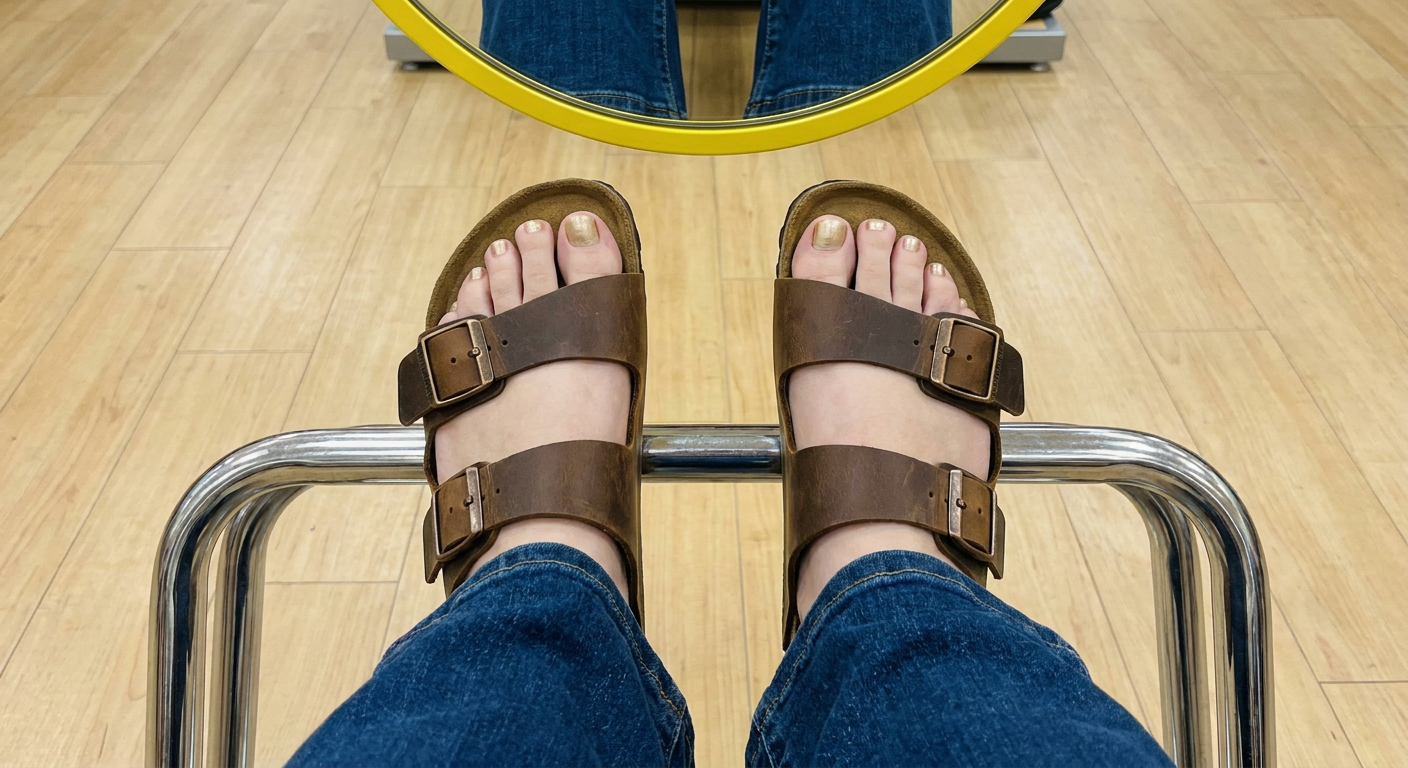
A top-down phone-selfie photo of a person's two bare feet with light gold nail polish, wearing brown two-strap leather slide sandals in the Birkenstock Arizona style: each foot has two separate brown oiled-leather straps, each strap fastened with a small antique brass/bronze rectangular buckle, a cork-look tan footbed, and a dark brown rubber sole edge. The person is wearing dark blue denim flared jeans, cuffs resting near the ankles. The feet are placed on a metal chrome footrest bar in a shoe store fitting area with a beige wooden floor. At the top of the frame is a round mirror with a bright yellow rim, reflecting the denim jeans. The photo is taken from directly above looking down, matching a casual smartphone shoe-shopping photo, natural indoor lighting.
Now listen does it look good??
- The overall vibe matches (feet, jeans, mirror, footrest, angle) and the sandal design is close to the Birkenstock Arizona — two straps, brass buckles, cork-look sole.
- It's a fully regenerated image, not your actual photo with just the sandal swapped — so the jeans texture, exact foot shape/angle, nail polish, and lighting won't be an exact match to your original. It'll look like "a similar photo," not "your photo with brown sandals."
- AI-generated hands/feet and buckle details can sometimes look slightly off on close inspection (buckle placement, strap symmetry) — worth zooming in before you trust it as a preview.