
Can you make visting card
What name should appear on the card? · What is your profession/job title? · What style do you prefer?
Please provide the details to include on the card (e.g. name, clinic name, phone, email, address, specialization). Type whatever applies!
A professional and minimal doctor visiting card (business card, landscape orientation, standard size 3.5x2 inches). Clean white background with a subtle light blue/teal accent stripe on the left side. The card contains: - A small medical caduceus or stethoscope icon in teal at the top left - Name in bold dark navy text: "Dr. Ranganagouda Balanagoudra" - Title below name: "Medical Doctor" in smaller teal text - A thin horizontal divider line - Placeholder contact icons (phone, email, location) in a row at the bottom in dark gray - Overall style: clean, modern, minimal, professional medical aesthetic - No clutter, generous white space
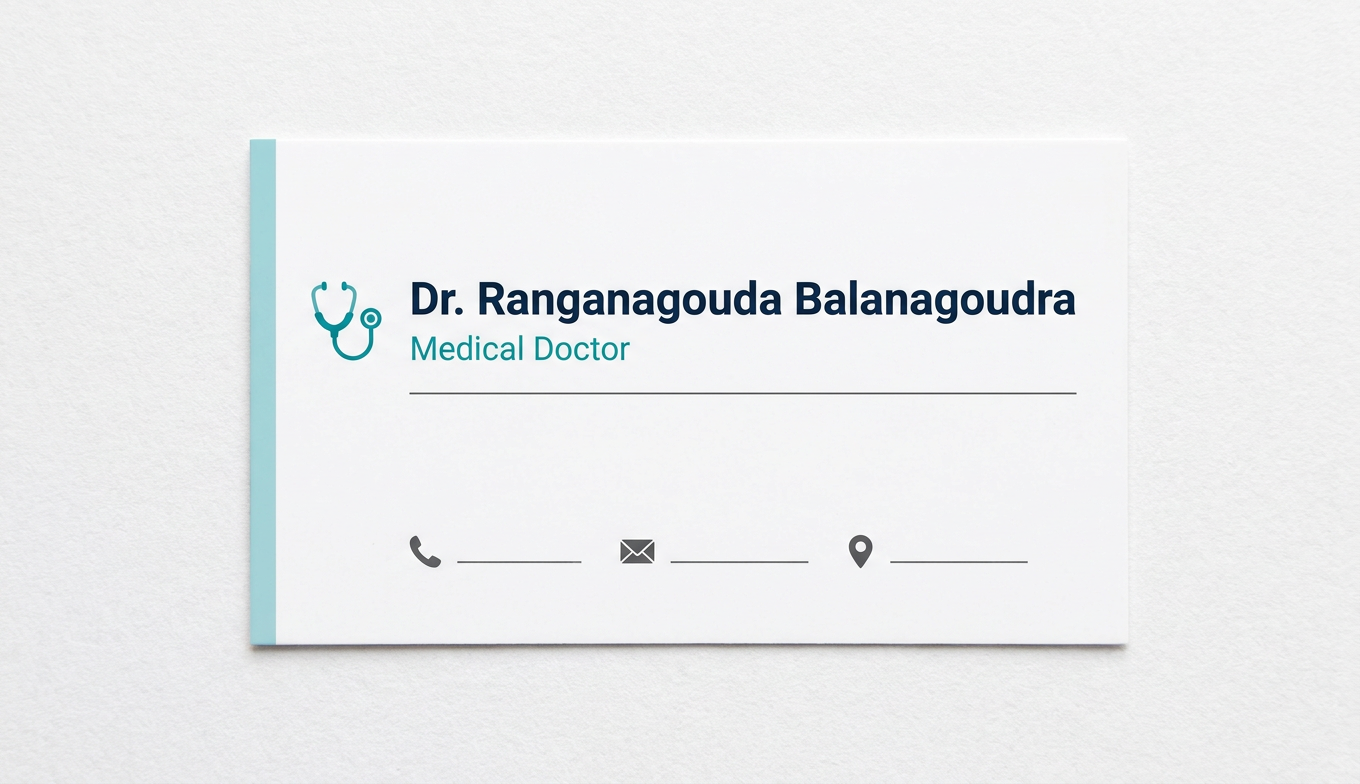
- Clean white background with a teal medical accent
- Bold name display with "Medical Doctor" subtitle
- Minimal, professional medical aesthetic
- Space for contact details
Add more contact details (phone, email, clinic)
Please provide your contact details (phone number, email address, and clinic name/address):
A professional and minimal doctor visiting business card, landscape orientation (3.5x2 inches). Clean white background with a teal/dark blue accent bar along the left side. Layout: TOP SECTION: - Small stethoscope or medical cross icon in teal, top left area - Large bold dark navy name: "Dr. Ranganagouda Balanagoudra" - Subtitle in teal: "Medical Doctor" - Clinic name in medium bold text: "Neeralagi Multi Specialty Hospital" THIN HORIZONTAL DIVIDER LINE in light gray BOTTOM SECTION (contact details, small clean text with icons): - Phone icon + "7619210132" - Email icon + "rrbalanagoudra@gmail.com" - Location/map pin icon + "Aananda Nagar, Railway Station Road, Badami" Overall: clean white space, teal and dark navy color palette, professional medical aesthetic, no clutter, all text clearly readable, modern minimal design
Professional doctor business card, landscape orientation, white background with teal left accent stripe. Shows: doctor name "Dr. Ranganagouda Balanagoudra" in bold dark navy, subtitle "Medical Doctor" in teal, clinic "Neeralagi Multi Specialty Hospital" in medium text, then contact details with small icons for phone "7619210132", email "rrbalanagoudra@gmail.com", and address "Aananda Nagar, Railway Station Road, Badami". Clean minimal medical design with generous white space.
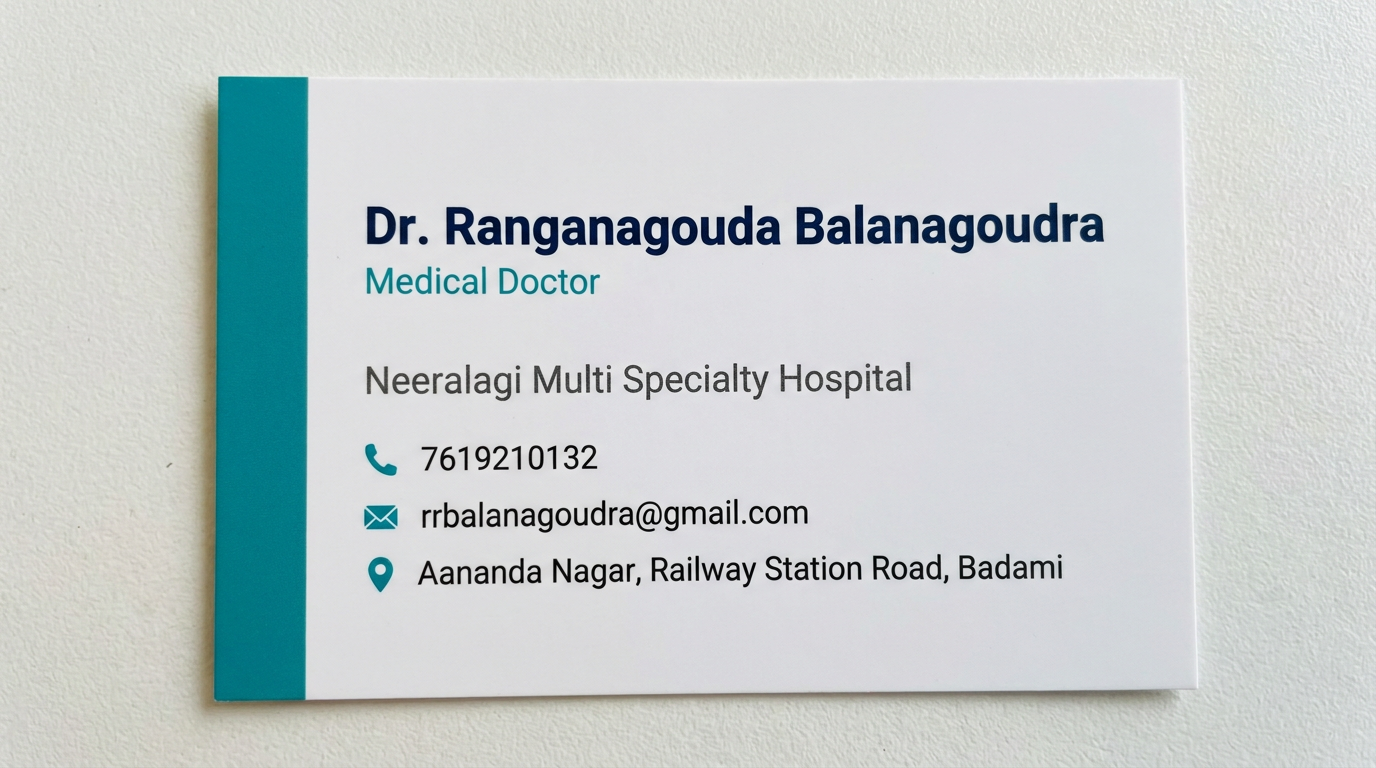
- Name: Dr. Ranganagouda Balanagoudra
- Title: Medical Doctor
- Clinic: Neeralagi Multi Specialty Hospital
- Phone: 7619210132
- Email: rrbalanagoudra@gmail.com
- Address: Aananda Nagar, Railway Station Road, Badami
Title Dental Surgeon. BDS Background teeth symbol
Professional dental doctor business card, landscape orientation (3.5x2 inches). White background with a faint large tooth/teeth watermark symbol in very light gray or light teal as a subtle background design element. Teal left accent stripe on the left edge. Card content layout: - Top: Small tooth icon or dental cross symbol in teal - Bold dark navy name: "Dr. Ranganagouda Balanagoudra" - Title in teal: "Dental Surgeon" - Qualification below title: "BDS" in smaller dark text - Clinic name: "Neeralagi Multi Specialty Hospital" in medium bold text Thin horizontal divider line in light gray Contact details with small icons: - Phone icon + "7619210132" - Email icon + "rrbalanagoudra@gmail.com" - Location pin icon + "Aananda Nagar, Railway Station Road, Badami" Style: clean white space, teal and dark navy color palette, large faded tooth silhouette in background, professional dental aesthetic, modern minimal design, all text clearly legible over the background
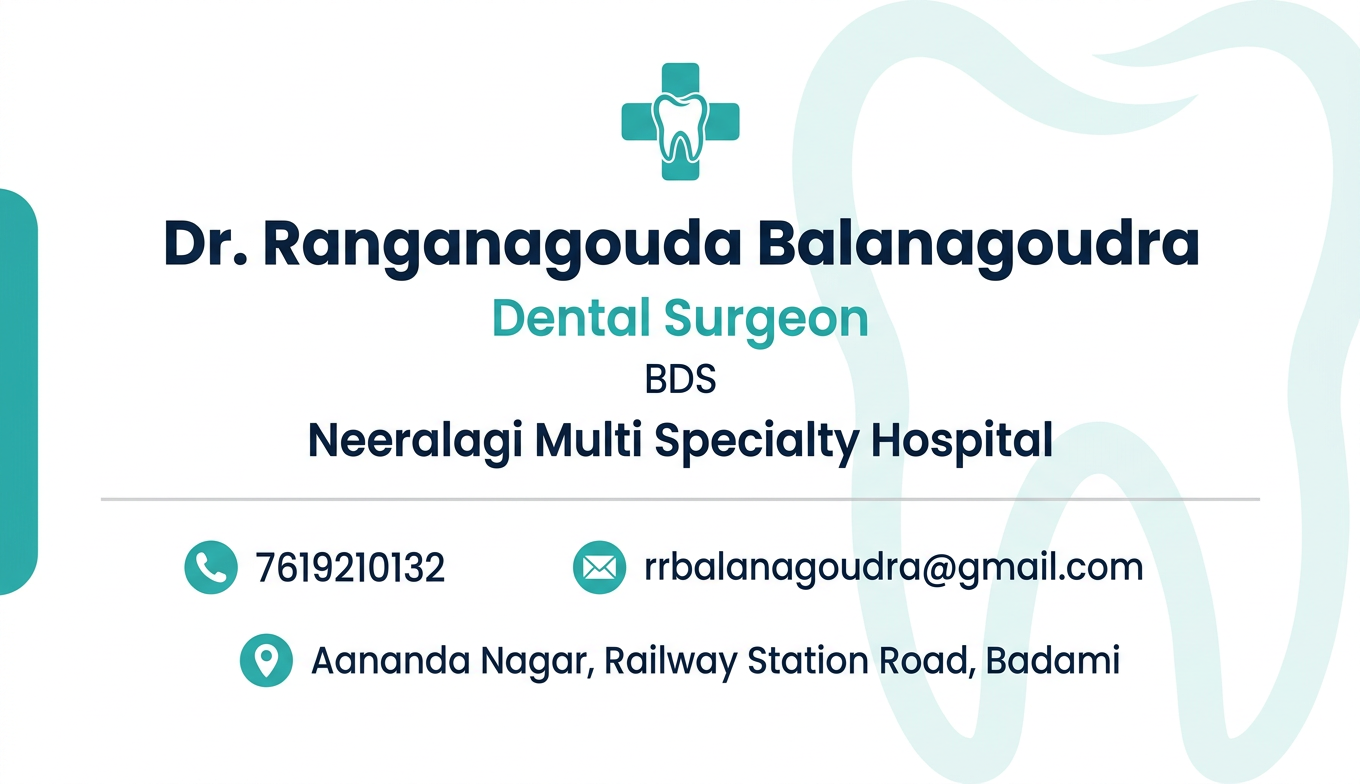
- Title updated to "Dental Surgeon"
- Qualification BDS added
- Background features a subtle tooth/teeth watermark symbol
- Dental tooth icon added to the top
Generate a PDF file with print-ready visiting card
mkdir -p /tmp/workspace/visiting-card && curl -s -o /tmp/workspace/visiting-card/card.png "https://cdn.orris.care/image-gen/8d6bee4b08634411ae1e7ccbc0b0a8b5.png" && echo "Downloaded OK" && identify /tmp/workspace/visiting-card/card.png 2>/dev/null || python3 -c "from PIL import Image; img=Image.open('/tmp/workspace/visiting-card/card.png'); print(img.size, img.mode)"
python3 << 'EOF' from reportlab.lib.pagesizes import landscape from reportlab.lib.units import inch, mm from reportlab.pdfgen import canvas from reportlab.lib.utils import ImageReader from PIL import Image # Standard business card size: 3.5 x 2 inches # For print-ready: use 300 DPI with bleed (add 0.125 inch bleed on each side) CARD_W = 3.5 * inch CARD_H = 2.0 * inch BLEED = 0.125 * inch # Page size = card size + bleed on all sides PAGE_W = CARD_W + 2 * BLEED PAGE_H = CARD_H + 2 * BLEED output_path = "/tmp/workspace/visiting-card/Dr_Ranganagouda_VisitingCard.pdf" c = canvas.Canvas(output_path, pagesize=(PAGE_W, PAGE_H)) # Set metadata c.setTitle("Dr. Ranganagouda Balanagoudra - Visiting Card") c.setAuthor("Neeralagi Multi Specialty Hospital") c.setSubject("Print-Ready Visiting Card - 3.5x2 inch") # Draw the card image at bleed position (filling the page) img_path = "/tmp/workspace/visiting-card/card.png" img = ImageReader(img_path) # Draw image covering full page (including bleed area) c.drawImage(img, 0, 0, width=PAGE_W, height=PAGE_H, preserveAspectRatio=False) # Draw crop/trim marks to guide the printer (outside the bleed area) MARK_LEN = 0.1 * inch MARK_GAP = 0.02 * inch c.setStrokeColorRGB(0, 0, 0) c.setLineWidth(0.5) def draw_crop_marks(canvas, x, y, page_w, page_h, bleed, mark_len, gap): """Draw crop marks at corners""" # Bottom-left corner canvas.line(x - bleed - mark_len - gap, y - bleed, x - bleed - gap, y - bleed) canvas.line(x - bleed, y - bleed - mark_len - gap, x - bleed, y - bleed - gap) # Bottom-right corner canvas.line(x + page_w + bleed + gap, y - bleed, x + page_w + bleed + mark_len + gap, y - bleed) canvas.line(x + page_w + bleed, y - bleed - mark_len - gap, x + page_w + bleed, y - bleed - gap) # Top-left corner canvas.line(x - bleed - mark_len - gap, y + page_h + bleed, x - bleed - gap, y + page_h + bleed) canvas.line(x - bleed, y + page_h + bleed + gap, x - bleed, y + page_h + bleed + mark_len + gap) # Top-right corner canvas.line(x + page_w + bleed + gap, y + page_h + bleed, x + page_w + bleed + mark_len + gap, y + page_h + bleed) canvas.line(x + page_w + bleed, y + page_h + bleed + gap, x + page_w + bleed, y + page_h + bleed + mark_len + gap) # Since bleed is already part of the page, draw trim marks at bleed inset # Trim line = at BLEED from each edge c.setStrokeColorRGB(0, 0, 0) c.setLineWidth(0.25) # horizontal top trim line segments (left and right of corners) c.line(0, BLEED, BLEED * 0.6, BLEED) c.line(PAGE_W - BLEED * 0.6, BLEED, PAGE_W, BLEED) # horizontal bottom trim line segments c.line(0, PAGE_H - BLEED, BLEED * 0.6, PAGE_H - BLEED) c.line(PAGE_W - BLEED * 0.6, PAGE_H - BLEED, PAGE_W, PAGE_H - BLEED) # vertical left trim line segments c.line(BLEED, 0, BLEED, BLEED * 0.6) c.line(BLEED, PAGE_H - BLEED * 0.6, BLEED, PAGE_H) # vertical right trim line segments c.line(PAGE_W - BLEED, 0, PAGE_W - BLEED, BLEED * 0.6) c.line(PAGE_W - BLEED, PAGE_H - BLEED * 0.6, PAGE_W - BLEED, PAGE_H) c.save() print(f"PDF created: {output_path}") # Verify import os size = os.path.getsize(output_path) print(f"File size: {size/1024:.1f} KB") print(f"Page size: {PAGE_W/inch:.3f} x {PAGE_H/inch:.3f} inches (with bleed)") print(f"Trim size: 3.500 x 2.000 inches (standard business card)") EOF
Dr Ranganagouda VisitingCard
PDF Document · PDF
- Trim size: 3.5 x 2 inches (standard business card)
- Page size: 3.75 x 2.25 inches (includes 0.125" bleed on all sides)
- Trim marks: included to guide the printer for precise cutting
- File size: ~869 KB, high quality
Create multiple card designs to compare
Professional dental doctor business card design 1 - "Classic White & Teal". Landscape orientation 3.5x2 inches. Clean white background with a bold teal left border stripe. Large faint tooth watermark in light gray behind the text. Top left: small tooth icon in teal. Name in large bold dark navy: "Dr. Ranganagouda Balanagoudra". Below: "Dental Surgeon | BDS" in teal italic. Clinic: "Neeralagi Multi Specialty Hospital" in dark gray. Thin teal divider line. Bottom row with icons: phone "7619210132", email "rrbalanagoudra@gmail.com", pin "Aananda Nagar, Railway Station Road, Badami". Minimal, professional, generous white space.
Dental doctor business card design 2 - "Dark Navy Luxury". Landscape orientation 3.5x2 inches. Deep dark navy blue background. Large faint tooth/teeth outline watermark in slightly lighter navy. Gold/yellow accent lines. Name in bold gold/cream text: "Dr. Ranganagouda Balanagoudra". Below name: "Dental Surgeon | BDS" in gold italic. Clinic name "Neeralagi Multi Specialty Hospital" in white. Horizontal gold thin divider. Contact details at bottom in light gray/white small text with gold icons: phone "7619210132", email "rrbalanagoudra@gmail.com", address "Aananda Nagar, Railway Station Road, Badami". Elegant luxury professional look.
Dental doctor business card design 3 - "Modern Gradient Blue". Landscape orientation 3.5x2 inches. Smooth gradient background from deep blue on left to sky blue/teal on right. Large translucent tooth silhouette watermark in slightly lighter blue on the right side. White text throughout. Name in large bold white: "Dr. Ranganagouda Balanagoudra". Below: "Dental Surgeon | BDS" in light yellow or white italic. Clinic: "Neeralagi Multi Specialty Hospital" in white. Thin white horizontal line separator. Contact details bottom: phone "7619210132", email "rrbalanagoudra@gmail.com", address "Aananda Nagar, Railway Station Road, Badami" in small white text with icons. Modern, fresh, vibrant look.
Dental doctor business card design 4 - "Soft Mint & Clean". Landscape orientation 3.5x2 inches. Very light mint green/soft seafoam background. Large faint tooth watermark silhouette centered in lighter mint. Left side has a white content panel. Name in bold charcoal/dark green: "Dr. Ranganagouda Balanagoudra". Below: "Dental Surgeon | BDS" in medium teal green. Clinic: "Neeralagi Multi Specialty Hospital" bold dark. Thin green divider. Bottom contact info small text with minimal icons: phone "7619210132", email "rrbalanagoudra@gmail.com", address "Aananda Nagar, Railway Station Road, Badami". Fresh, clean, calming, modern medical aesthetic.
429 Too Many Requests. {'message': '{\n "error": {\n "code": 429,\n "message": "Resource exhausted. Please try again later. Please refer to https://cloud.google.com/vertex-ai/generative-ai/docs/error-code-429 for more details.",\n "status": "RESOURCE_EXHAUSTED"\n }\n}\n', 'status': 'Too Many Requests'}
We encountered an error while processing your request. Please try again or reach out to us for help.
Create multiple card designs to compare
Design 1 - Classic White and Teal dental doctor business card, landscape 3.5x2 inches. White background, bold teal left border stripe, faint tooth watermark in light gray. Small tooth icon top left in teal. Bold dark navy name: "Dr. Ranganagouda Balanagoudra". Subtitle "Dental Surgeon | BDS" in teal. Clinic "Neeralagi Multi Specialty Hospital" in dark gray. Thin teal divider. Bottom contact icons: phone 7619210132, email rrbalanagoudra@gmail.com, address Aananda Nagar Railway Station Road Badami. Clean minimal professional.
Design 2 - Dark Navy Luxury dental doctor business card, landscape 3.5x2 inches. Deep dark navy background, faint tooth outline watermark in slightly lighter navy, gold accent lines. Bold gold name: "Dr. Ranganagouda Balanagoudra". Subtitle "Dental Surgeon | BDS" in gold italic. Clinic "Neeralagi Multi Specialty Hospital" in white. Gold thin divider. Small white contact text with gold icons: phone 7619210132, email rrbalanagoudra@gmail.com, address Aananda Nagar Railway Station Road Badami. Elegant luxury look.
Design 2 - premium dental visiting card with dark background. Landscape business card. Navy blue background with elegant gold text showing doctor name "Dr. Ranganagouda Balanagoudra", title "Dental Surgeon BDS", clinic "Neeralagi Multi Specialty Hospital". Faint tooth silhouette in background. Contact details: phone 7619210132, email rrbalanagoudra@gmail.com, Aananda Nagar Railway Station Road Badami. Gold and white on dark navy, luxury style.
Design 3 - Modern blue gradient dental doctor visiting card, landscape orientation. Gradient from deep blue on left to sky blue on right. Large translucent tooth silhouette watermark. All white text: bold name "Dr. Ranganagouda Balanagoudra", title "Dental Surgeon BDS", clinic "Neeralagi Multi Specialty Hospital". White divider line. Small contact info: 7619210132, rrbalanagoudra@gmail.com, Aananda Nagar Railway Station Road Badami. Vibrant modern look.
429 Too Many Requests. {'message': '{\n "error": {\n "code": 429,\n "message": "Resource exhausted. Please try again later. Please refer to https://cloud.google.com/vertex-ai/generative-ai/docs/error-code-429 for more details.",\n "status": "RESOURCE_EXHAUSTED"\n }\n}\n', 'status': 'Too Many Requests'}
We encountered an error while processing your request. Please try again or reach out to us for help.